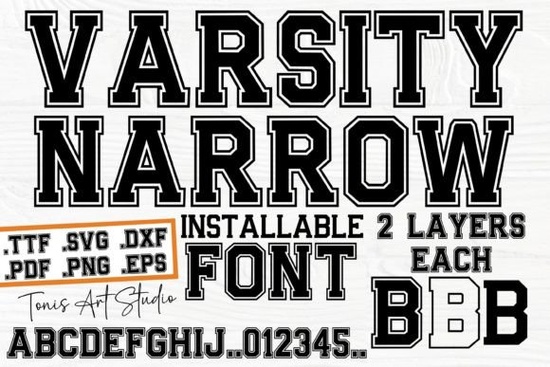
If you're working on a sports-themed design whether it's for a local team, a school event, or even a backyard BBQ invite you’ve probably looked for a font that feels authentic without being too bulky. That’s where Varsity Narrow Font comes in. It captures the crisp, athletic spirit of classic college lettering but in a slimmer, more space-efficient form. This makes it especially handy when you’re designing items like t-shirts, banners, or digital graphics where horizontal room matters.
The font’s sharp outlines and clean lines echo the look of traditional varsity jackets and stadium signage, giving your projects an immediate sense of energy and tradition. Unlike wider display fonts that can overwhelm smaller layouts, Varsity Narrow keeps things bold but tidy ideal for layered designs or multi-line text.
What kinds of projects work best with Varsity Narrow?
This font shines in any context where sporty, collegiate, or retro-athletic vibes are welcome. Think:
- Custom team jerseys or warm-up shirts
- School spirit posters or pep rally flyers
- Birthday invitations with a sports twist
- Wall art for game rooms or kids’ bedrooms
- Print-on-demand mugs, totes, or phone cases featuring team names
Because it’s a display font, it’s not meant for body text but that’s not a drawback. Used for headlines, logos, or short phrases, Varsity Narrow delivers instant recognition and style without needing extra embellishments.
How does it compare to other sports-inspired fonts?
Not all athletic fonts are created equal. Some lean cartoonish, while others feel too rigid. Varsity Narrow strikes a balance: it’s structured enough to read clearly at a glance, yet stylish enough to stand out.
If you like this aesthetic but want alternatives for variety, consider exploring similar options. For example, Mascot College Font offers a bolder, chunkier take on school spirit great for mascot-centric designs. Or if you prefer something with a bit more flair, the Selina Daniel Duo Font pairs a script with a complementary sans-serif, offering contrast for layered compositions.
For a playful bubble-letter effect that still nods to retro signage, check out the Glossy Bubble Font. And if you’re leaning into Western or rodeo themes instead of college sports, the Cowboy Block Font brings rugged charm. Meanwhile, the Awesome Everybody Font mixes hand-drawn energy with wide appeal perfect for casual, community-focused events.
Is Varsity Narrow easy to use for beginners?
Yes. Once installed, it works like any standard font in design software such as Canva, Adobe Illustrator, Cricut Design Space, or Silhouette Studio. No special plugins or scripts are needed. The characters are well-spaced by default, though you can adjust tracking slightly if you’re stacking letters vertically or fitting text into tight spaces.
One tip: because it’s an outline-style font, avoid using it over busy backgrounds. A solid color or subtle texture will let the letterforms pop without visual competition. Also, keep stroke weights consistent if you’re adding a drop shadow or outline in your design tool, go light to preserve readability.
For reference, you can view the original listing on Creative Fabrica here: Varsity Narrow Font.
Who should consider adding this font to their toolkit?
Varsity Narrow is especially useful for:
- Print-on-demand sellers creating sports fan gear
- Small business owners running local teams, gyms, or youth leagues
- Crafters making vinyl decals, embroidered patches, or sublimation blanks
- Graphic designers building themed branding packages
- Teachers or PTA volunteers designing event materials with school pride
It’s not just about athletics it’s about tapping into a nostalgic, community-driven visual language that resonates across ages.
Before you start your next project, ask yourself: Do I need a font that’s bold but not bulky? Authentic but not dated? If so, Varsity Narrow could be the straightforward solution you’ve been looking for.
Quick checklist before using Varsity Narrow:
- Confirm your design software supports .OTF or .TTF files (most do)
- Test readability at your intended size especially for small-format prints
- Avoid pairing it with overly decorative fonts; a simple sans-serif companion often works best
- Check licensing if you’re selling commercial products (Creative Fabrica’s standard license covers most small-business uses)
- Preview your design in grayscale first to ensure contrast and legibility
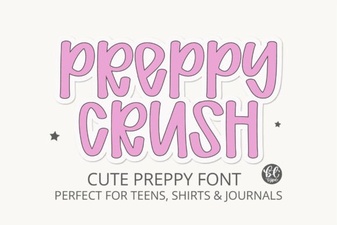 Preppycrush Font for Modern Graphic Design Projects
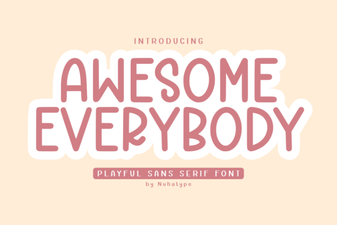 Awesome Everybody Font Design Inspiration & Uses
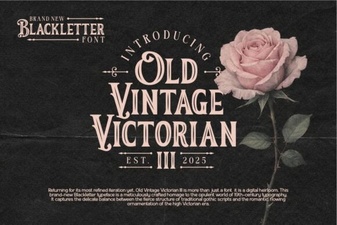 Victorian Font Designs for Modern Projects
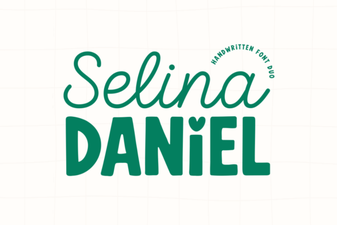 The Selina Daniel Duo Font for Creative Projects
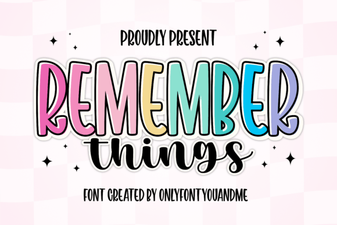 The Remember Things Font: a Creative Design Resource
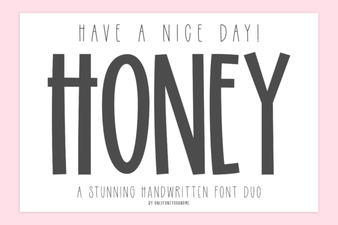 Have a Nice Day Honey Font: Free Download & Use Guide